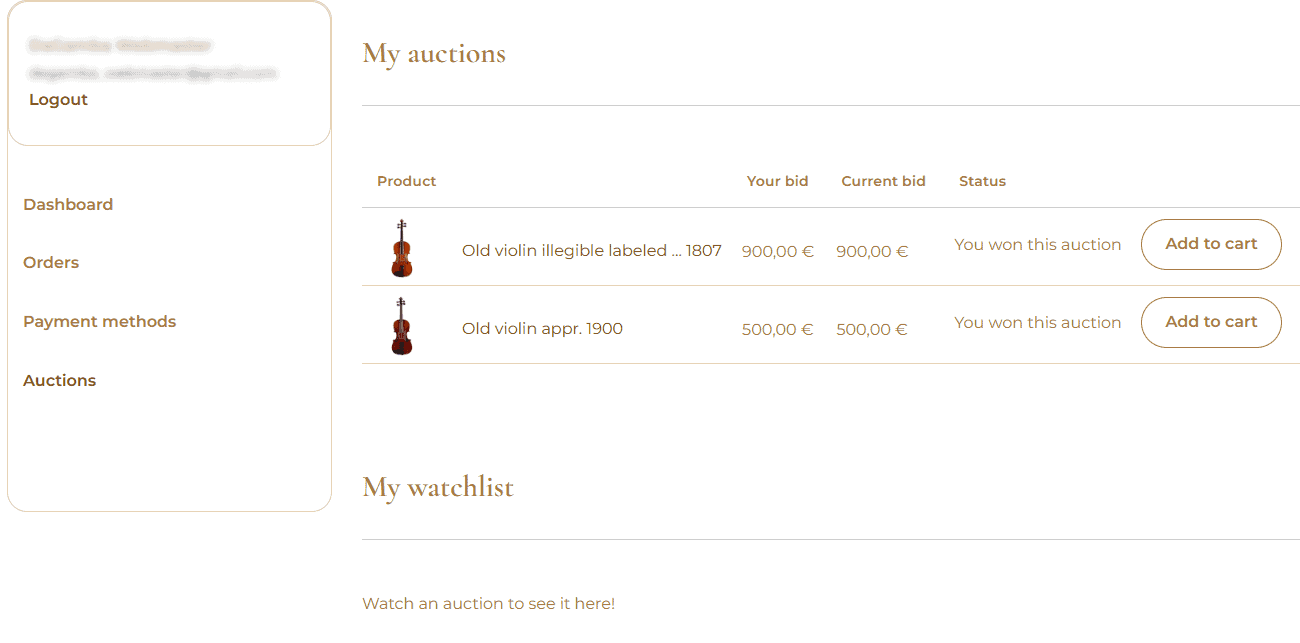

After winning an auction, you will receive an email with a link to your winning lots.
Follow these simple steps:
1. Log in to My Account → Auctions, or use the link in your email.
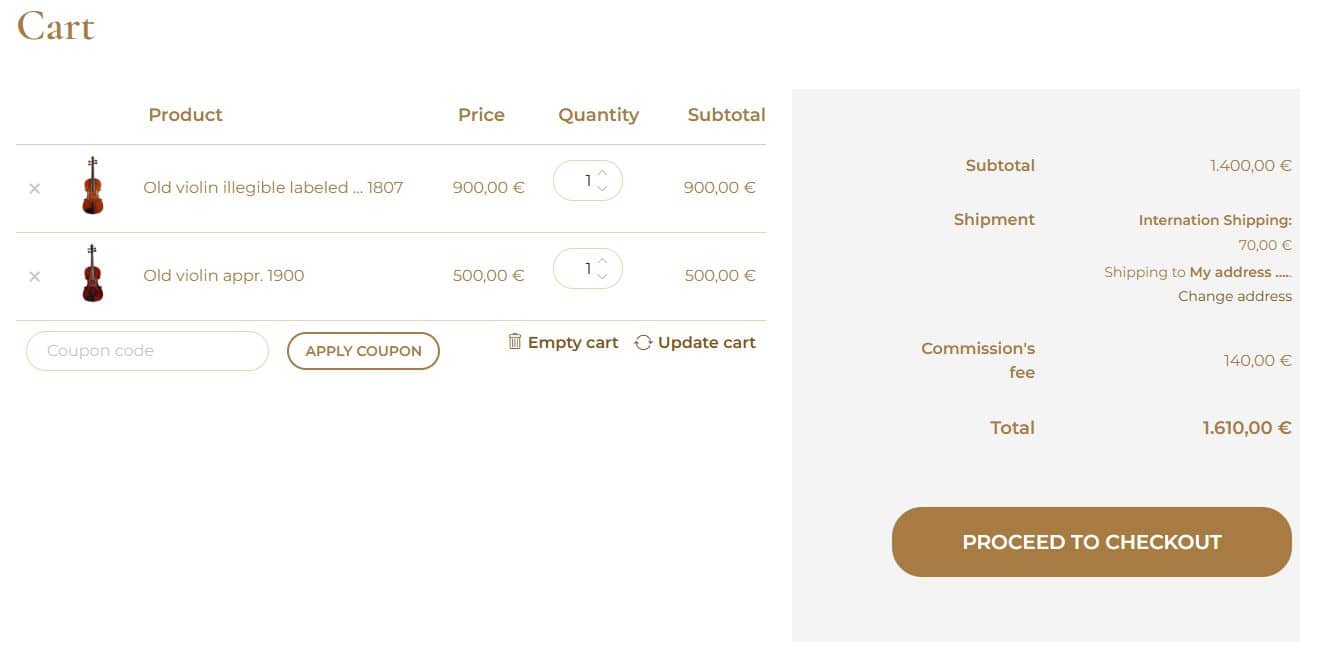
2. Find your winning lots and click Add to Cart for each item.
3. Add all your winning lots to one shopping cart to save on shipping costs.
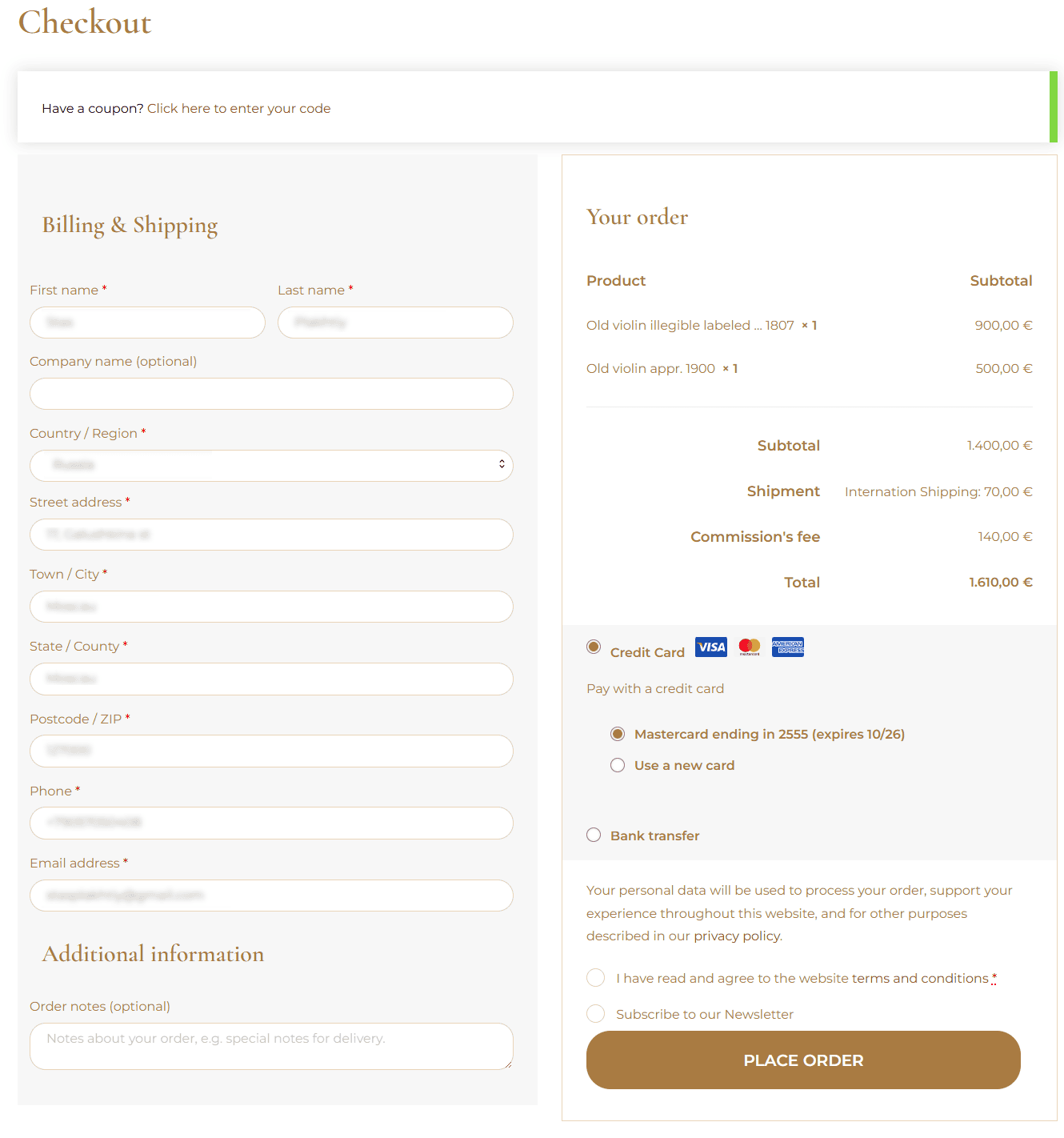
4. Proceed to checkout, enter your shipping address, and choose your payment method.
5. Complete your order and pay by credit/debit card or bank transfer.
Important: Please add all your winning lots to one order. If you place separate orders, shipping costs will be charged for each order.
You can find your order details, payment status, and shipping tracking information under My Account → Orders.
Once paid, your lots will be removed from the list of winning auctions awaiting payment.